Now this is interesting - although we have the same 3 rooms in the upper left, the 8051 IS NOT the same on ours - yours have a EEPROM installed - ours has a hard coded chip.
A dump of your ROMS and the 8051 (If that’s even possible) fill likely fix our issue.
Based on some cursory stuff yesterday with the device after one of the ROMs was inadvertently installed a PIN off at U1 chip, the drive is acting differently, even after the chip was replaced in the correct manner. Wonder if the chip is now damaged. As the drive no longer tries to load the tape more than 1 time. if it fails the first time, it goes kind of crazy.
Hey there, you have the eprom version of the 8051 on your board. That chip was used for software development, I almost bought one back in the 1980s until I saw the price $270 in 1980s dollars. I don’t recall if there were protection bits on that version, if not then the code could be extracted and I could program a eprom version myself, if I can find one on ebay. I’ll have a hunt around. My recollection is a special programmer was used. I know the ACMS had a full set of 8051 programming tools at one stage, I saw it in a video when they were moving from their last location. In our board it is a mask-rom version, so etched at the factory and unreadable.
Hey @DigitalRampage @DaveEverett it sounds like its time I bought myself an EEPROM reader and sorry to hear about your new issue with tape load, how frustrating.
I’ll go ahead and try to get a dump of these chips for you. It will be a few days away as I’ll have to source a reader. If this gets us nowhere, we’ll think about plan B.
On my end I did make some progress on hooking up the 7980 to a DOS PS/2 (have the correct ASPI driver now) but only partial, I suspect a cabling problem still so thats ongoing. I have PCI SCSI card coming in the mail today as my patience with the PS/2 path is wearing thin.
1 Like
Thanks mate. I should be able to rig up the external board for the 8051 next Saturday and start probing the signals.
Sounds good @DaveEverett I may seek your advice further on easiest way to try a ROM dump of those chips. I am thinking I might build this: GitHub - JohnDMcMaster/8051dumper: by NF6X. Forked from: https://gitlab.com/NF6X_Retrocomputing/8051dumper
Thoughts? Otherwise I can drop $50-$100 on a programmer I guess to save time.
Also once you get past this little hiccup with the 8051, I did progress some testing on the SCSI side that may be of interest in helping you check if your SCSI interface is working ok.
Based on my journey to-date it will be far easier to have a basic Linux box with SCSI card if can scrounge that and a matching cable. Linux does an extraordinarily good job of detecting and reporting any SCSI devices it finds and with the standard utilities (mt, tar, dd etc) it just makes life much easier since you don’t need add-on software apps. At least until you prove its working.
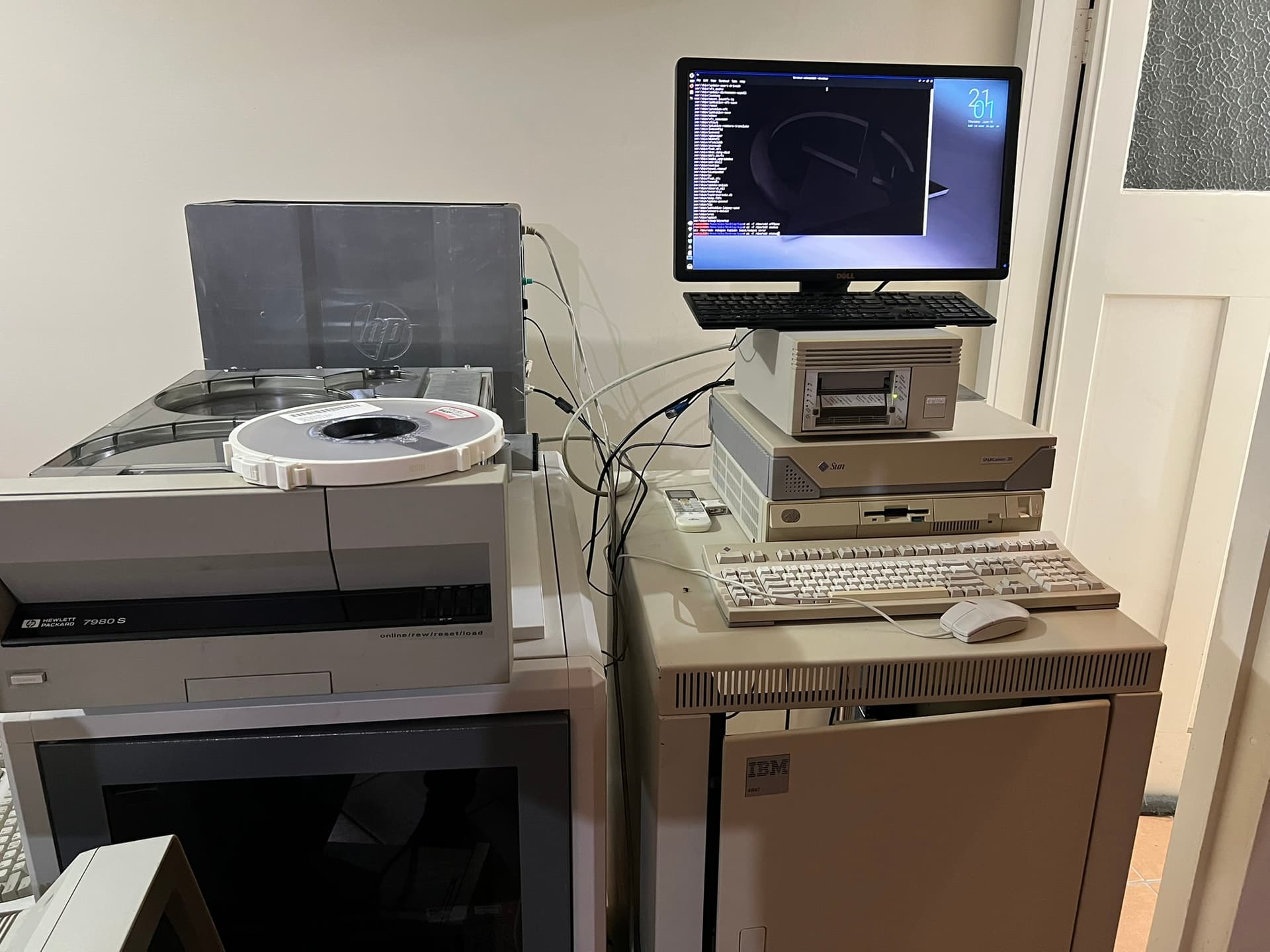
Here’s what I now have, in addition to the Sparc-20 setup.
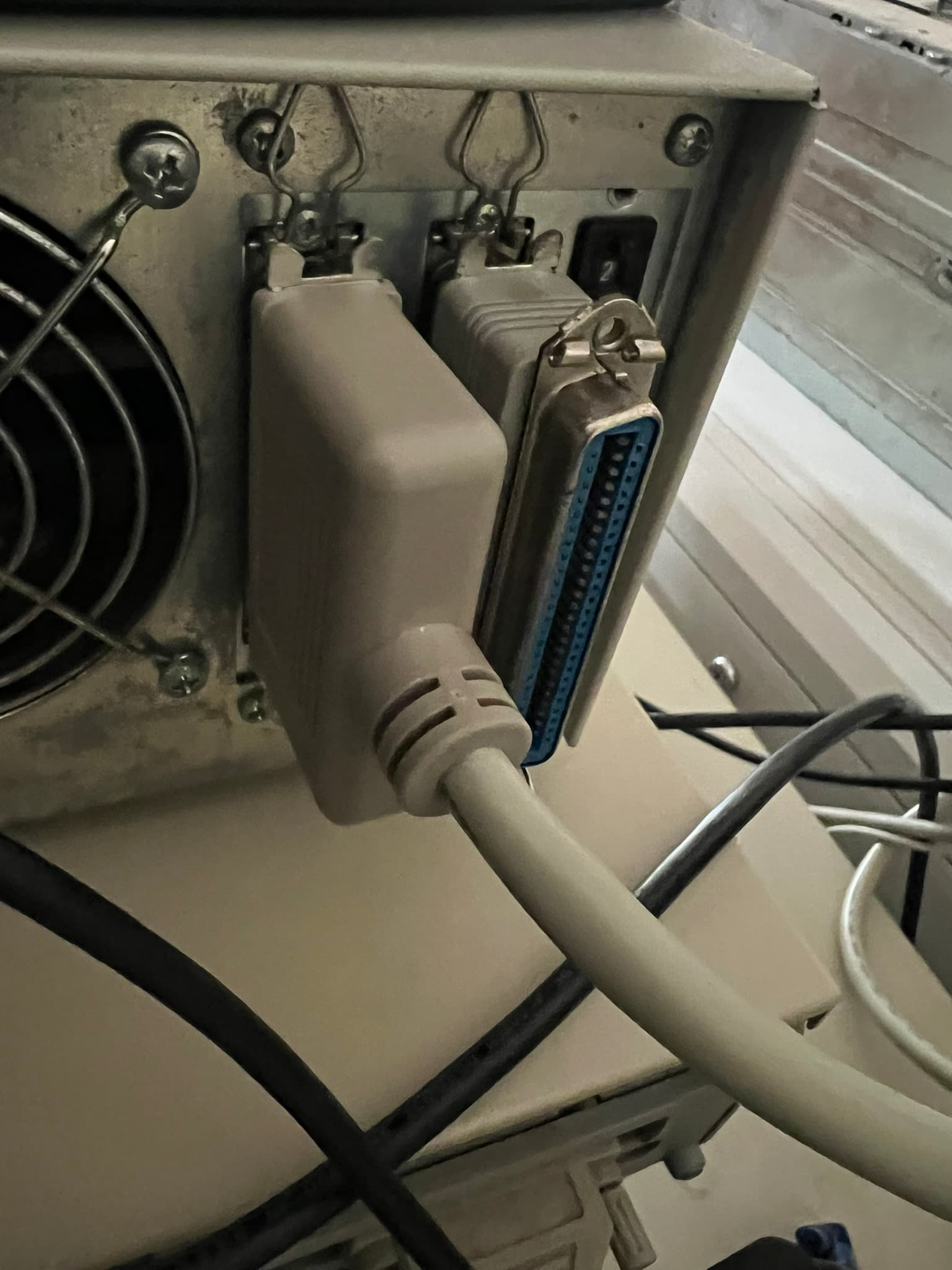
Basic workstation (HP z820 trusty old banger) running MX-Linux and Tekram SCSI PCI card - cheapest I could find on eBay with the same connector as my Sparc so can use the exact same cable. Cost me $15 all up inc shipping.
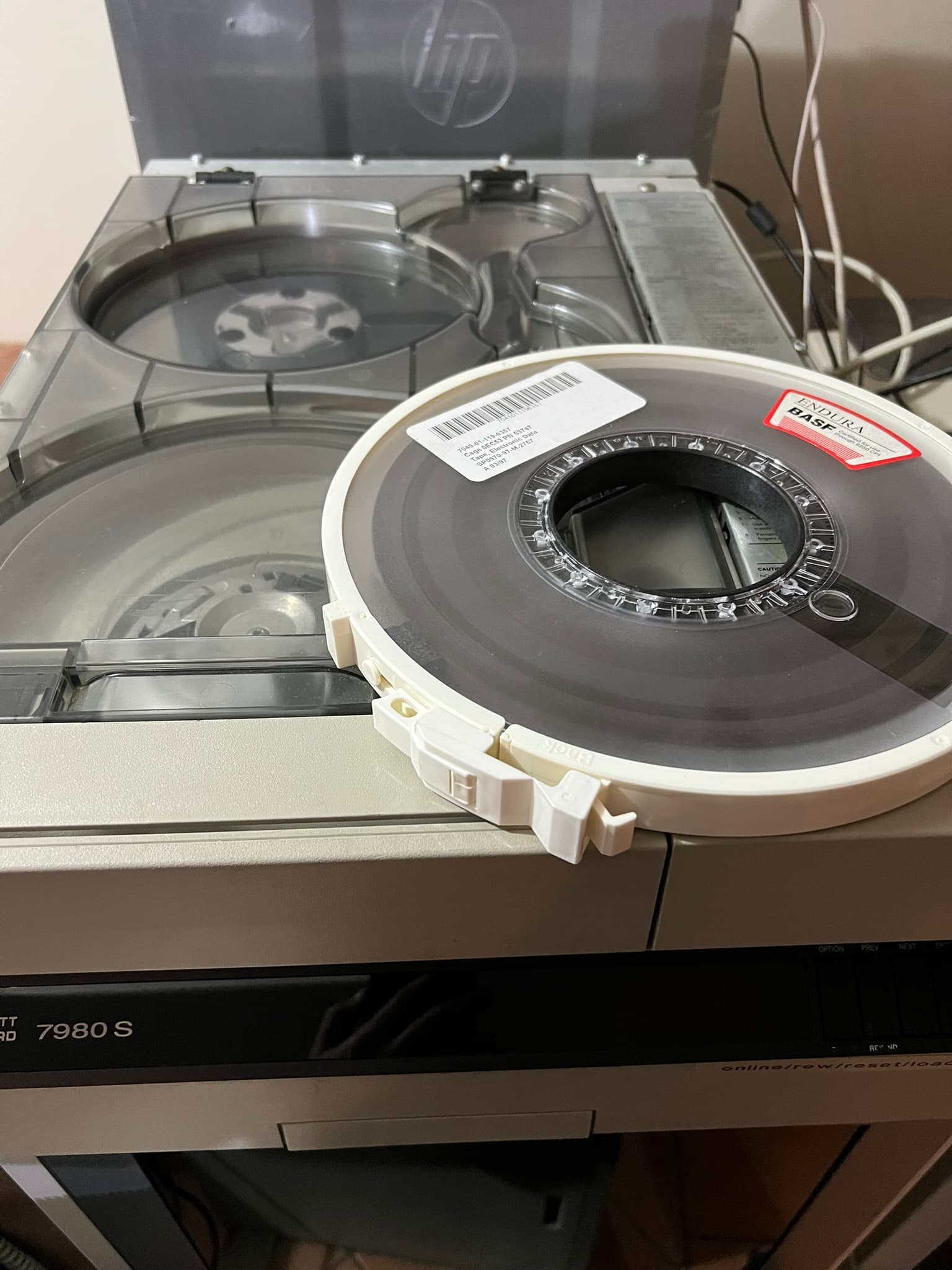
Connected both the HP-7980 and a DEC TZ87N that I have to see how they behave differently.
Set both Tape drives to SCSI ID 2 - I only picked this as my TZ87 ID switch doesn’t switch properly and is stuck on 2. Note the terminator also which I presume you have available.
It’s worth noting that both drives behave almost identically in response to most linux tape commands.
Successfully tried at least these ones. I believe ‘dd’ also works for making tape images
mt -f /dev/st0 [status, rewind, offline, erase]
tar cvf / xvf / tvf with /dev/st0 as the tape device.
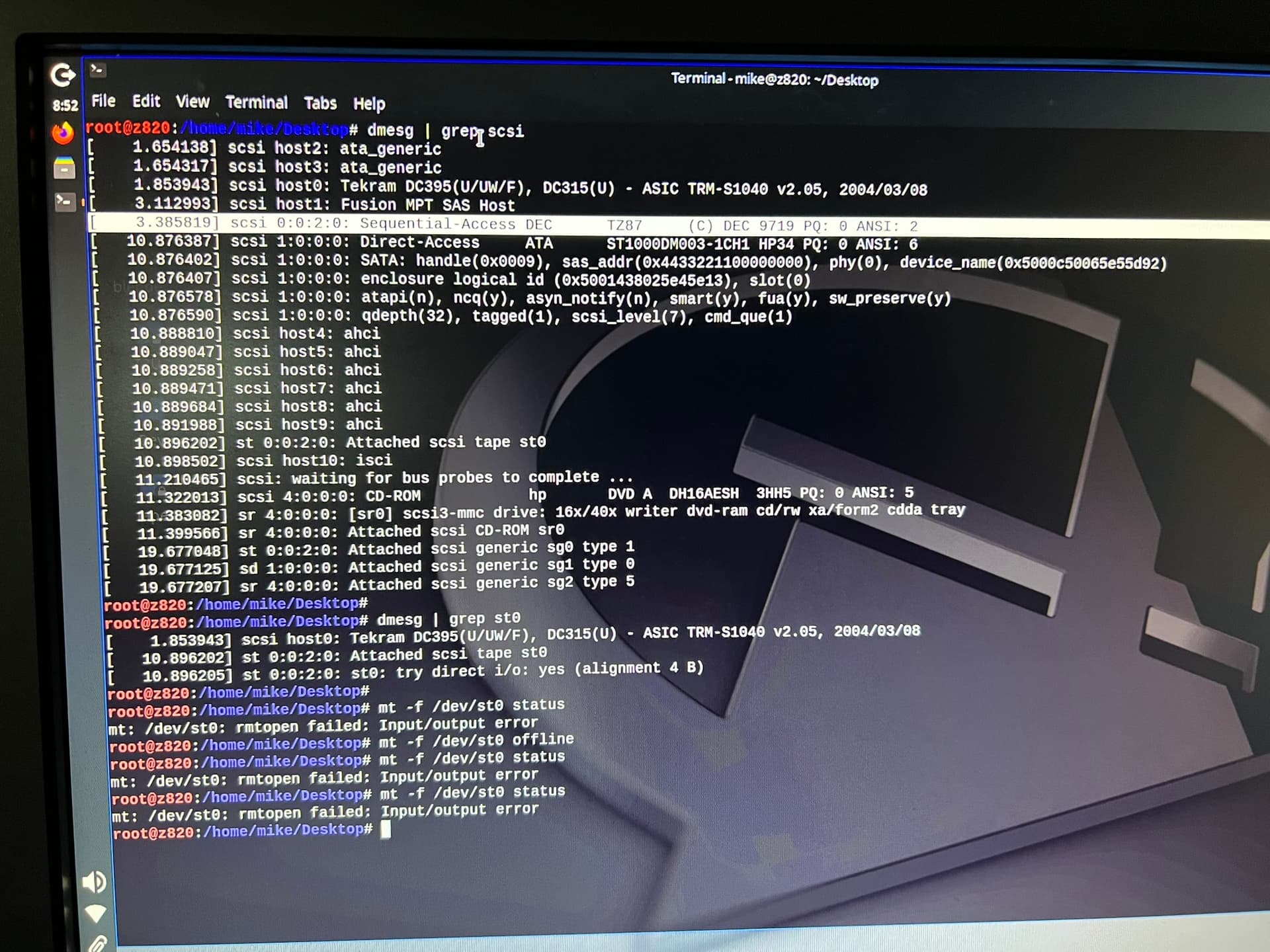
Note that sometimes mt “status” command sometimes reports errors even though the other commands like rewind etc seem fine. Might be something to do with tape online/ready status, unsure.
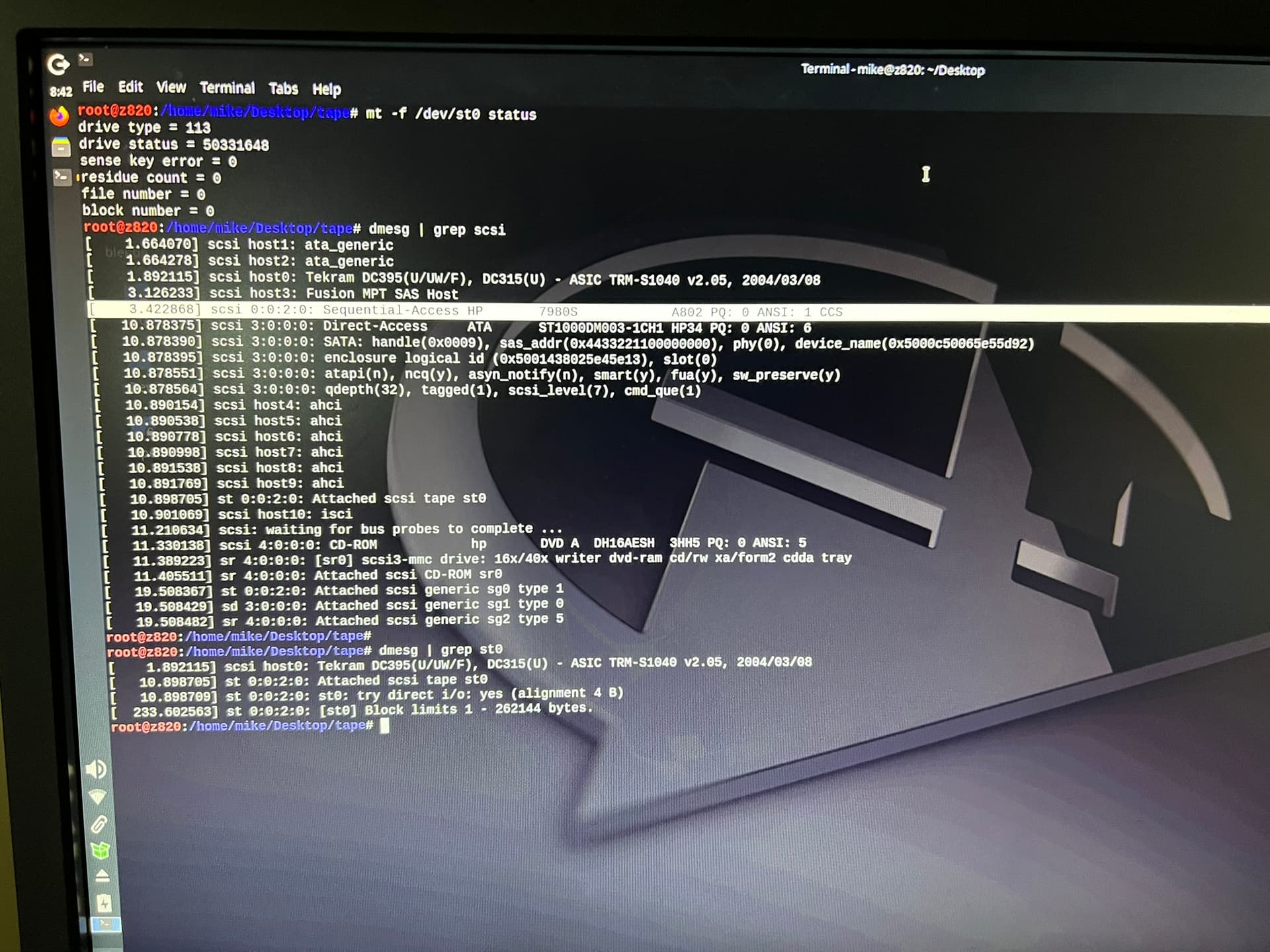
Also you can use the “dmesg | grep scsi” and such (see pics) to see what Linux has found on bootup. For both drives, the SCSI tape drives are just mapped to /dev/st0 so it’s quite nice in that way.
Pics of my setup for inspiration or comparison 
2 Likes
I found some manuals including a full service manual that might be useful. I’ll attach them to this message88780-90010_UsersMan_May90 (1).pdf (3.8 MB)
Oops, the service manual is bigger than 8mb and won’t upload
I have had to upload the pdfs to the ACMS google drive under HP88780- 9-track Tape Drive folder.
Members can access this.
Dave
1 Like
We bought some new boards from the USA, unfortunately though the silly company that sold them wrapped them in regular bubble wrap and a bunch of the RAM seems to dead.
We got it running enough now to get it up on DOS/LINUX/VMS but apart from unloading the tape we can’t get it to follow any other commands
We get the tape to BOT and online on the front panel.
We are starting to wonder if we need to set in the settings that it needs to accept a standard set of scsi TAPE commands?
Did you ever have any luck getting a tape to do anything? We’ve been only able to unload using commands from computer, everything else is I/o error or not ready
Hi Adrian, that’s great news about the progress.
I gave up with DOS but had luck with Linux and Solaris.
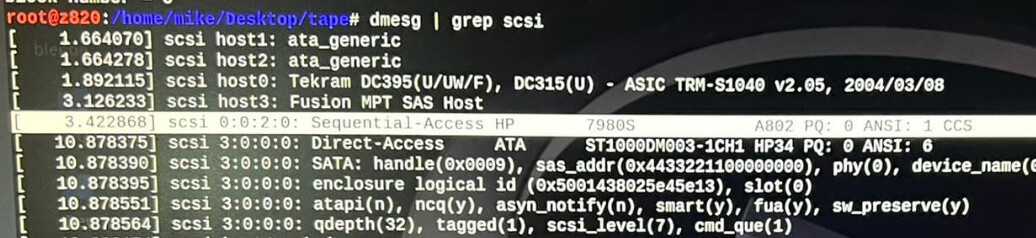
Is it recognised in Linux boot messages like my screenshot?
I used SCSI ID=2 on my system - (set via front panel)
Then is you see the 7980 or 88780 in boot message then you should be good to go:
Re-pasting from previous message - these commands were working for me.
mt -f /dev/st0 [status, rewind, offline, erase]
tar cvf / xvf / tvf with /dev/st0 as the tape device.
Note that sometimes mt “status” command sometimes reports errors even though the other commands like rewind etc seem fine. Might be something to do with tape online/ready status, unsure.
Other checks:
- Tape path cleaned including heads
- SCSI ID set (try id=2) from front panel
- Check boot messages - Linux does a great job of mapping the device to /dev/st0
- Tape at BOT status and drive “Online”
- Try a couple of different tapes
One last thing, have you tried any of the built-in test groups operated from front panel?
Test ID 1 as I recall is a pretty comprehensive suite of tests that keeps the drive clunking away and reports any failed tests. The manual shows all these and I found them very helpful in various troubleshooting tasks.
I have more pics and videos I took of working tests if they are of any use.
Cheers, Mike
1 Like
Out of interest, does your drive had three or four controller cards in the bay to the right of the tapes?
Our DG has 3 but HP had 4
I read somewhere the fourth card was a 800bpi interface, but I’m not sure that’s correct
Mine is a 3-card set which according to the service manual I have used, is a later variant.
Slots 1-3 are used in my case. I have board photos if that helps.
This is the manual PDF scan I use: 07980-90030_88780Svc_Oct91.pdf
Extract indicating the “cardcage” configuration. I appear to have the 07980-6xx21 Formatter PCA.
